Complete the registration process to fully unlock all services.
✅ Eligibility
|
⚠️
|
Important Note: Digital registration is currently open to BNM-licensed Merchant Acquirers and E-Money Issuers applying for PayNet's Retail Payment Services as Direct Participants. |
| Non-bank Merchant Acquirer (TPA) Eligibility Criteria | Approved Issuers of Designated Payment Instruments (EMI) Eligibility Criteria |
|---|---|
|
|
🛒 Products Catalogue
The below are the bundle products / services available for subscription.
|
DuitNow Transfer & NAD DuitNow Transfer & NAD is a core component of our real-time payment infrastructure, enabling seamless and instant fund transfers via mobile numbers and other proxies, as well as account numbers. |
|
|
DuitNow QR DuitNow QR is an interoperable QR code payment standard that enables customers to make cashless payments by scanning a single QR code via any participating payment app. |
|
|
Coming Soon DuitNow Pay DuitNow Pay provides a single API that consolidates multiple online payment channels, enabling customers to select the option they trust most at checkout. |
|
|
Coming Soon DuitNow Request DuitNow Request enables businesses and individuals to send a payment request to the intended sender in real-time. |
|
|
MyDebit Card Present Enables secure in-store card transactions via physical terminals. It includes a comprehensive suite of services such as Transaction Adjustment, Cash-Out at Point of Sale, Pre-Authorisation, and OEM, providing flexibility and enhanced capabilities for merchants and acquirers. |
|
|
MyDebit Secure Enables MyDebit transactions without physical card presence—such as online, in-app, or recurring payments—with the added feature to adjust transaction details post-authorisation but before settlement, supporting flexible and accurate payment processing. |
|
| ❔ |
If your company or product type is outside of this scope: Please contact us at ask@paynet.my. Our team will review your inquiry and advise on the next steps for your organization. |
|
ℹ️
|
We’re continuously expanding our digital onboarding support to cover non-direct participants and products. Stay tuned for updates in future rollout phases. |
📁 Required Documents
To help you complete your registration smoothly and without delays,
we
encourage you to prepare the following documents in advance.
Please ensure you have:
Please ensure you have:
- Last 3 Years' Audited Financial Documents
- Merchant Acquiring Services or E-Money Issuer Registration Letter Issued by BNM
- Documentary Proof of at least 1 Million Transactions Please upload proof that your company processes at least 1 million transactions per year. Examples include: settlement statements, transaction summaries, or any document from your acquirer or processor showing total annual transaction count.
📝 Step-by-Step
Company Information
1. Click "Register Now"
Click the Register Now button to start a new company registration.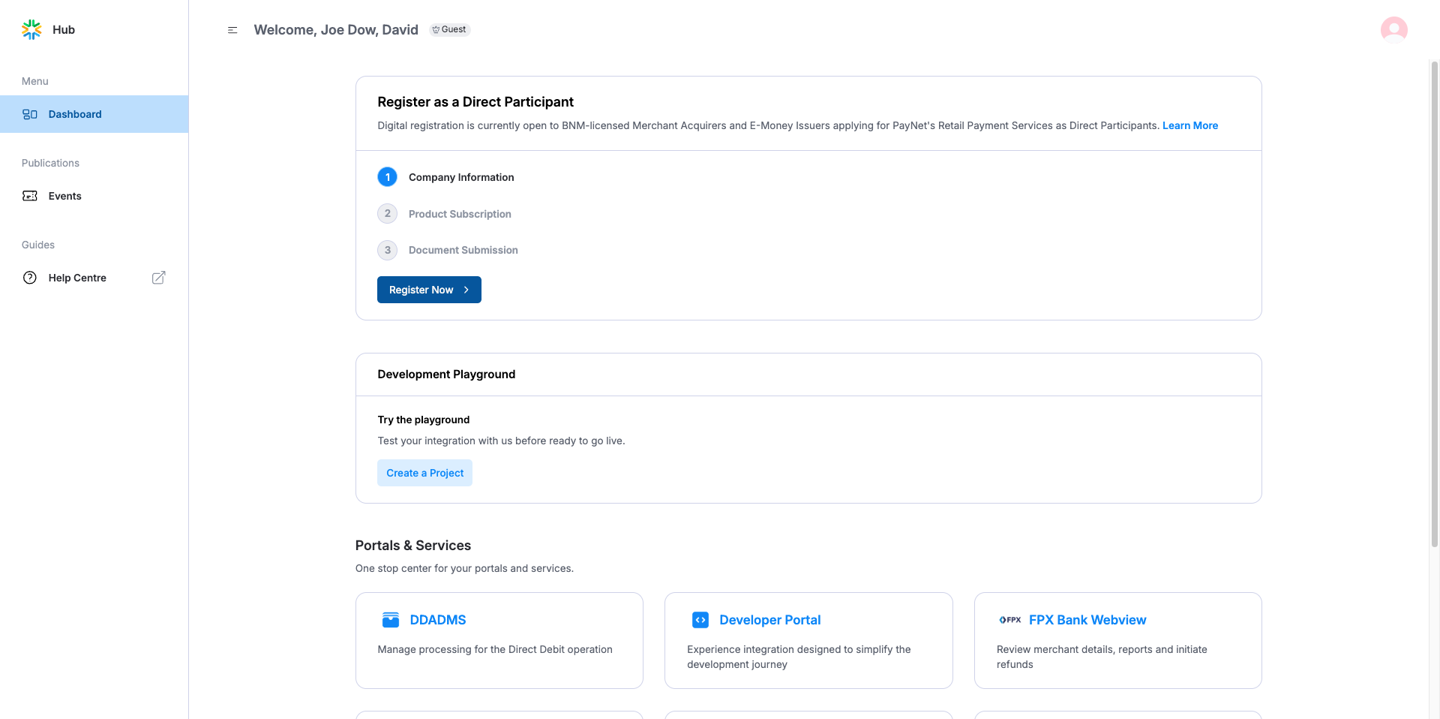
Click the Register Now button to start a new company registration.
2. Begin by selecting your business type. Currently, you can choose between Merchant Acquirer and E-Money Issuer. If your business type isn't listed, please contact us at ask@paynet.my.
3. For each business type, there will be an Eligibility Criteria list to ensure that your business meets all the necessary requirements. If eligible, please click the check box and the ‘Proceed’ button. If your company doesn’t meet the criteria mentioned, please click on Contact Us or email to ask@paynet.my for assistance.
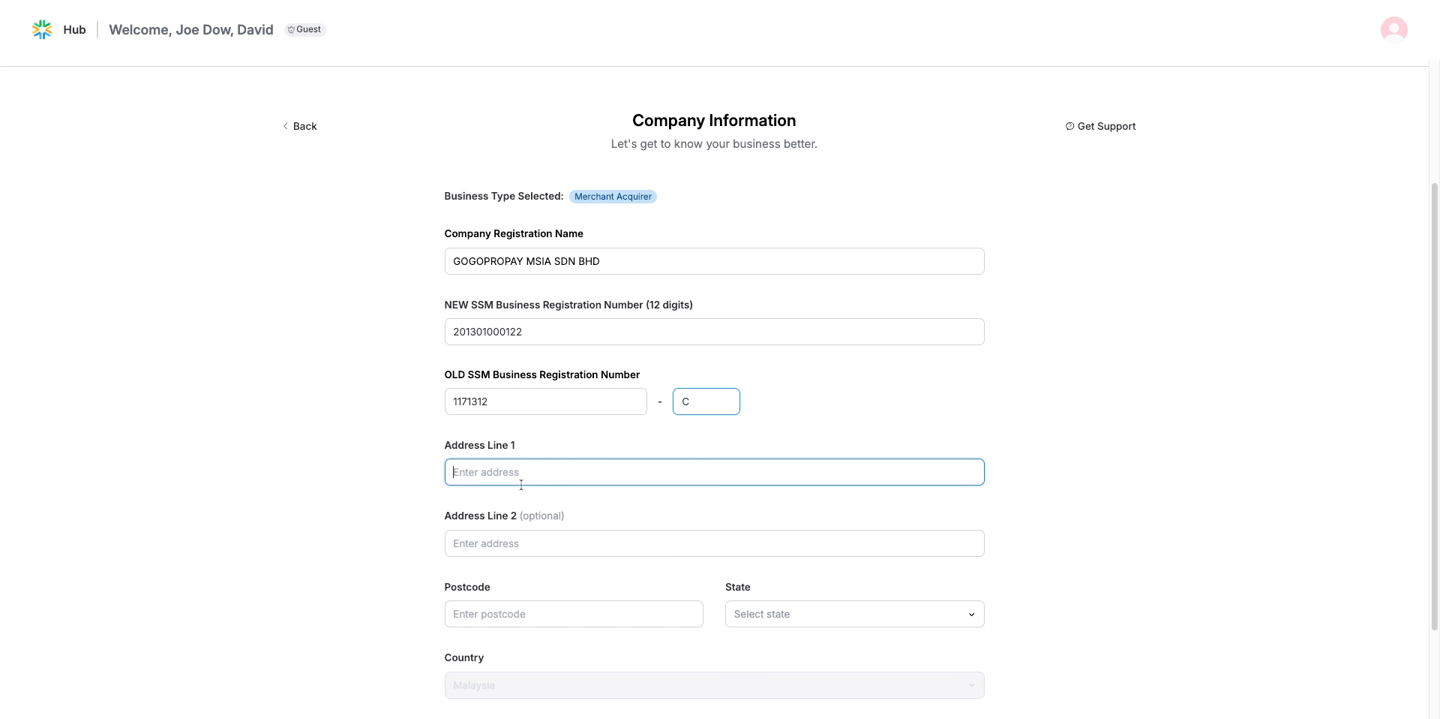
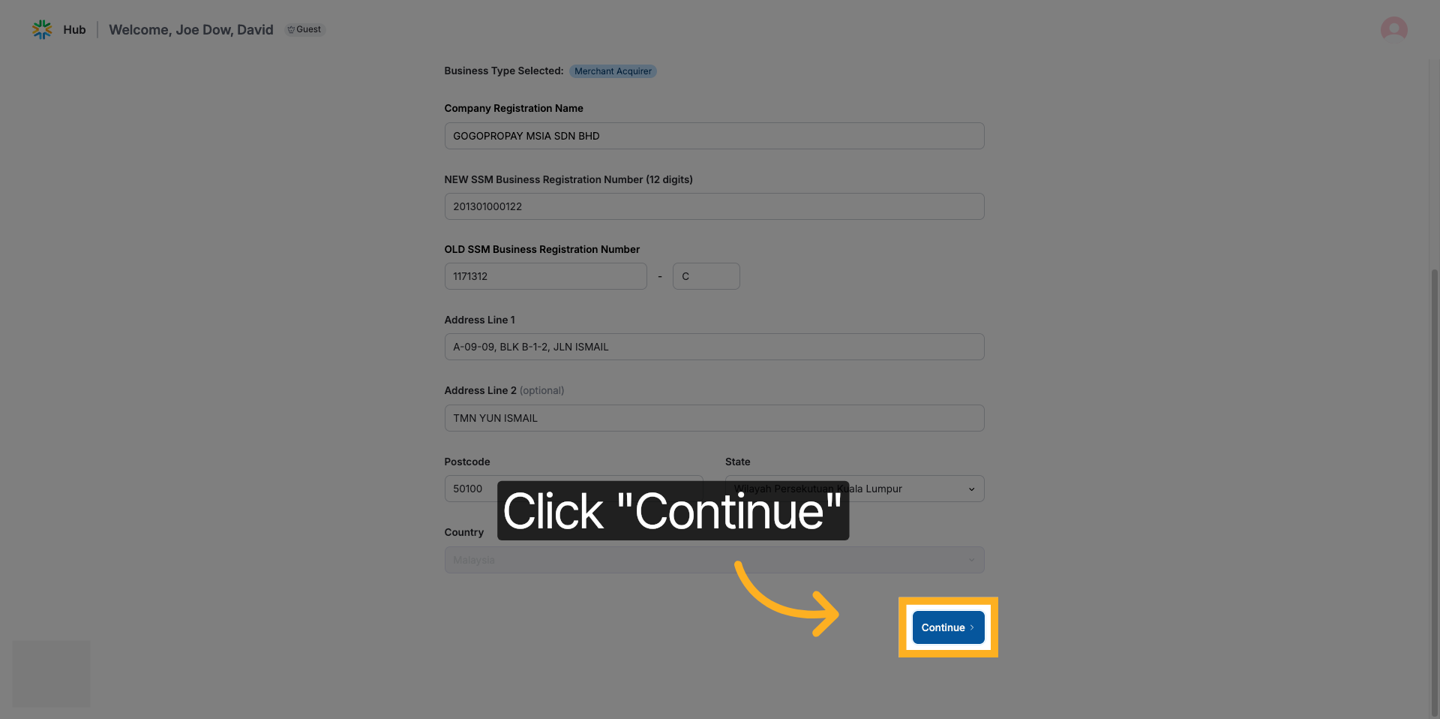
4. Fill in the fields with your company information. You can type
the
company
name in the box and select it from the dropdown list if available.
If
your company name doesn't appear in the dropdown, please type out
the
full company name. Some fields will be auto-filled from the company
registration
list if your company information is listed on the BNM website. These
fields are the address lines, postcode, state and country. The form
will
save as a draft when you click 'Continue'.
5. Before ticking the Consent Authorisation checkbox, you
must read the
full consent statement.
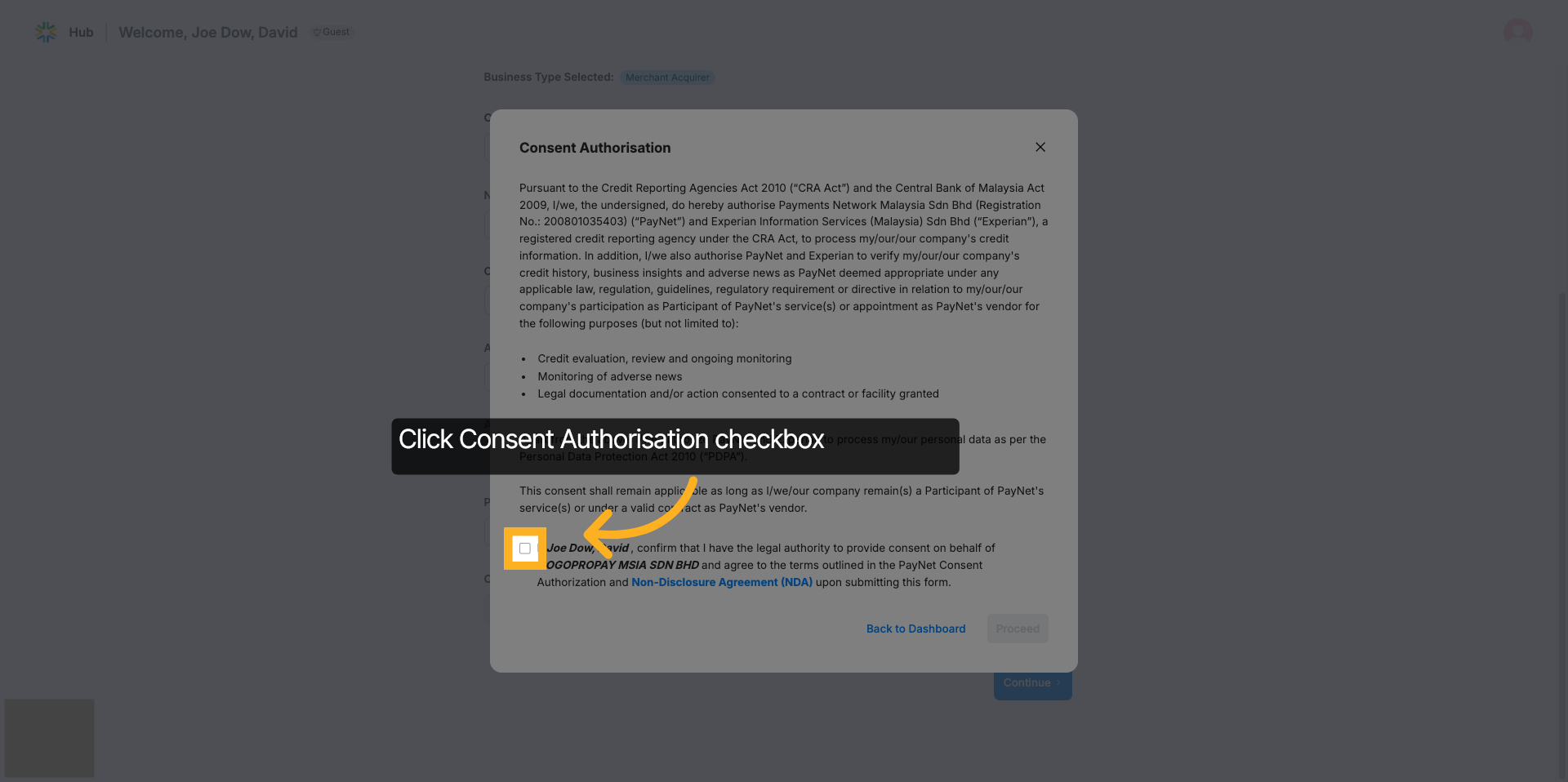
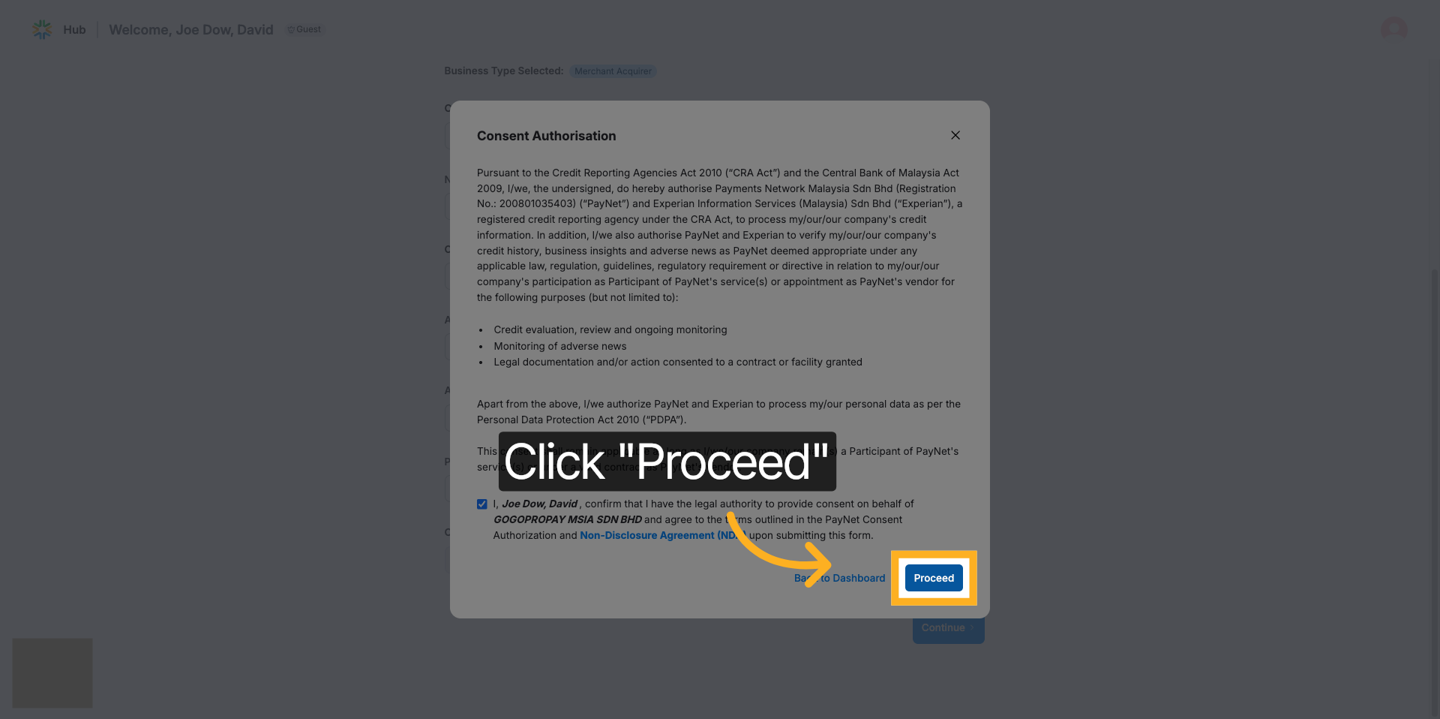
- Click on the 'Non-Disclosure Agreement (NDA)' link.
- The NDA document will open in a new browser tab or window.
- Scroll through and read the entire content carefully.
- This will explain what you are consenting to, how your data will be used, and any terms that apply.
| ℹ️ |
|
Product Subscription
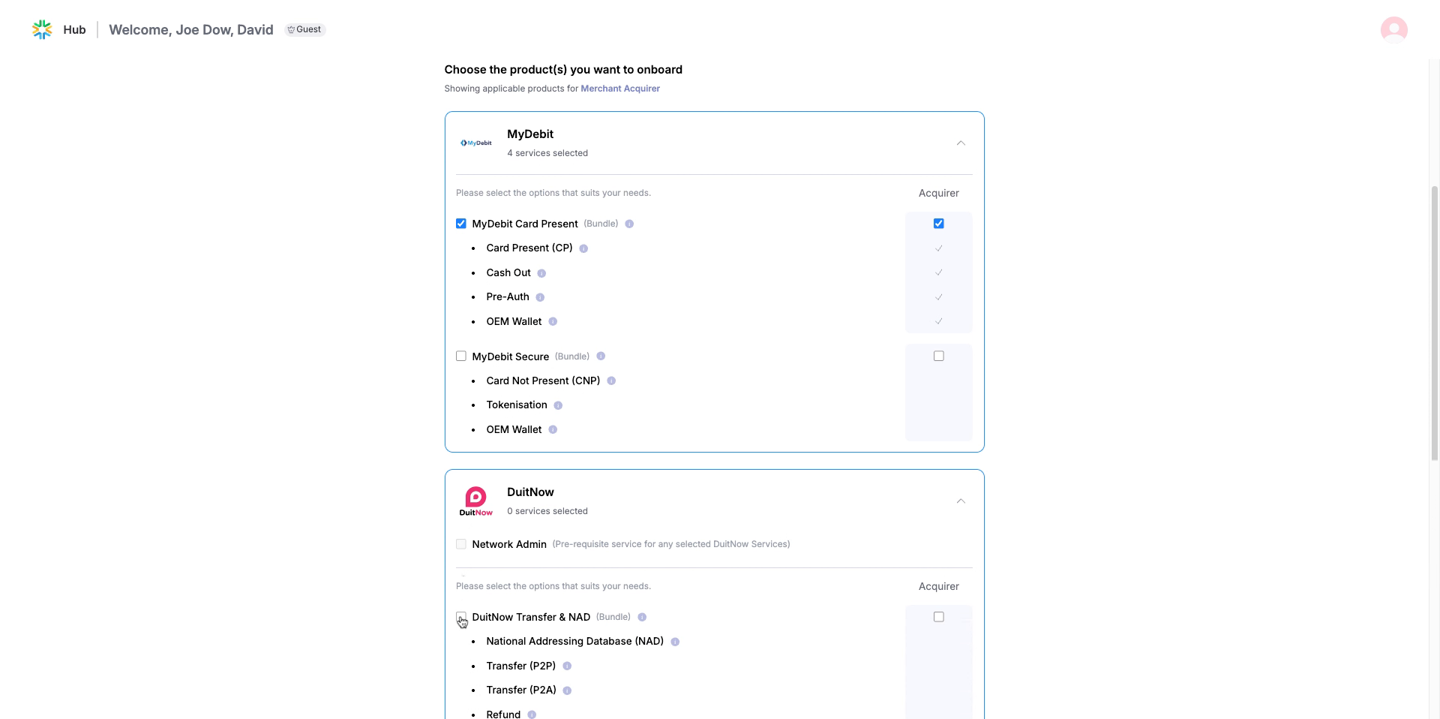
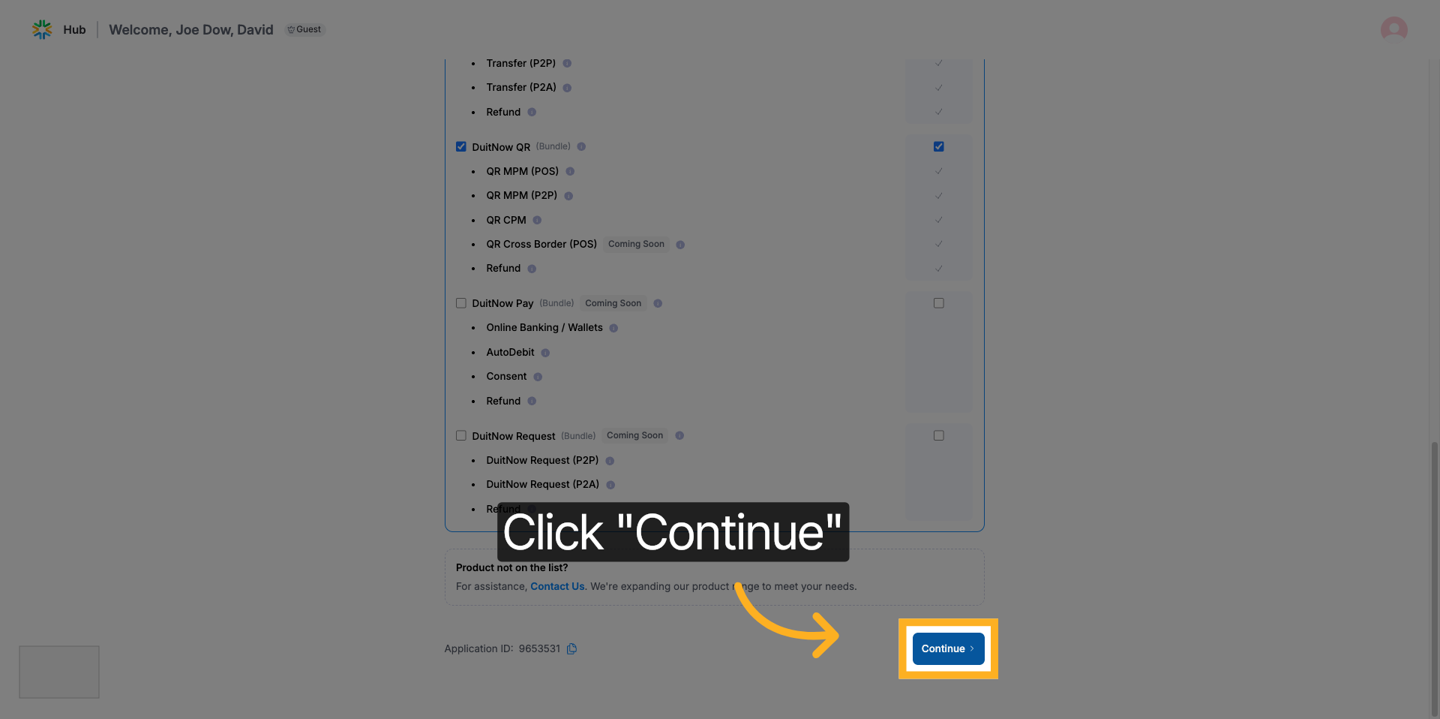
1. Select the products you want to onboard. After selecting the products,
click 'Continue' to proceed with your application.
| ℹ️ |
Note:
|
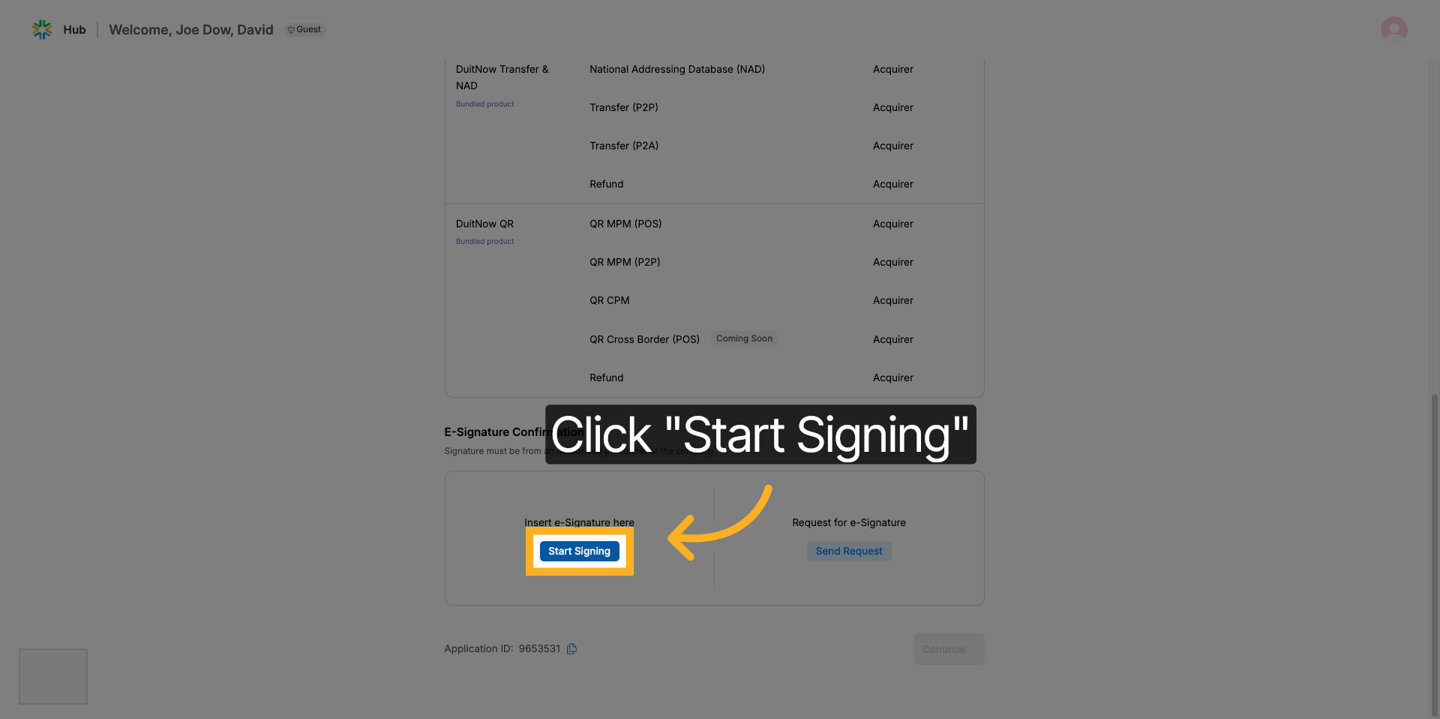
2. To confirm the selected products, you'll need to provide an e-signature
from an authorized company personnel. You can either select
‘Start Signing’ or ‘Send Request’
from
the authorized personnel.
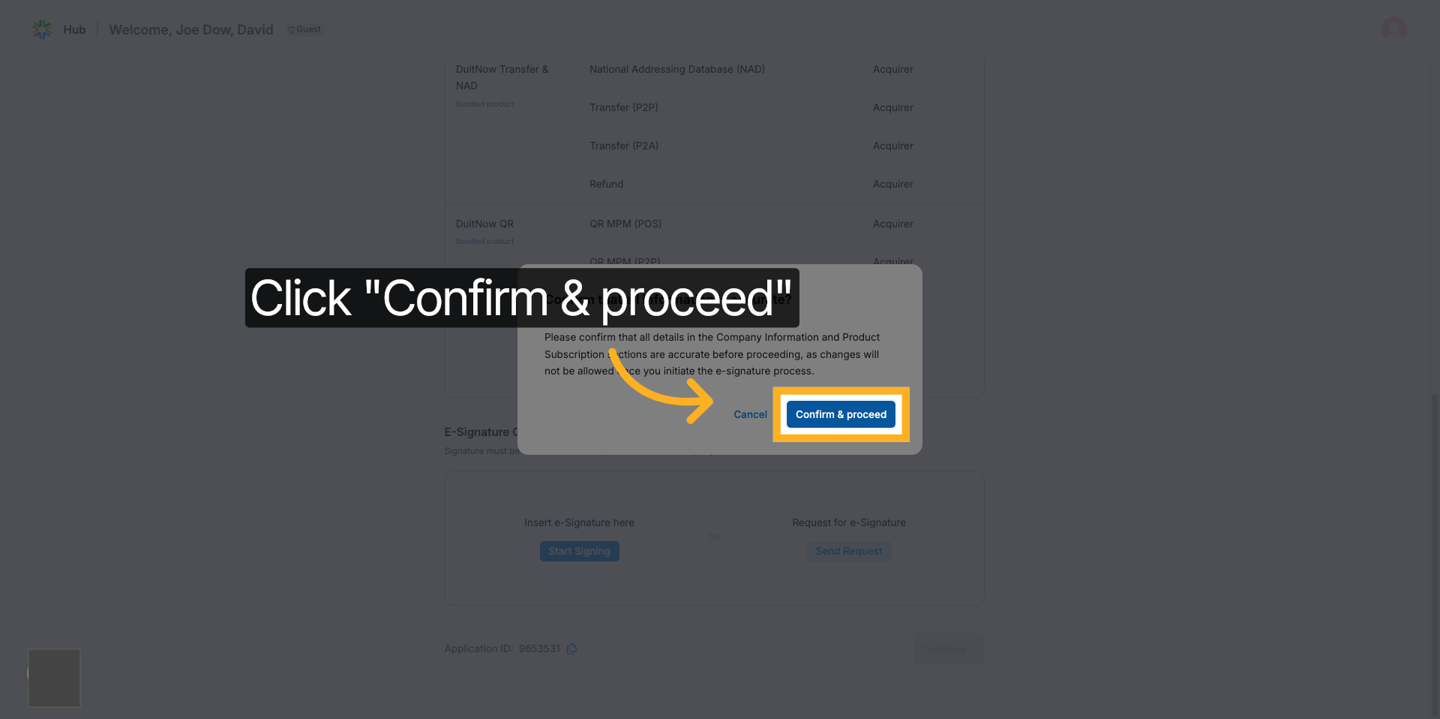
3. Before signing, please ensure that all the information presented
is
accurate, as changes will not be allowed once the e-signing process
has
been initiated. Once you have confirmed the information is accurate,
click 'Confirm & proceed' to verify the details.
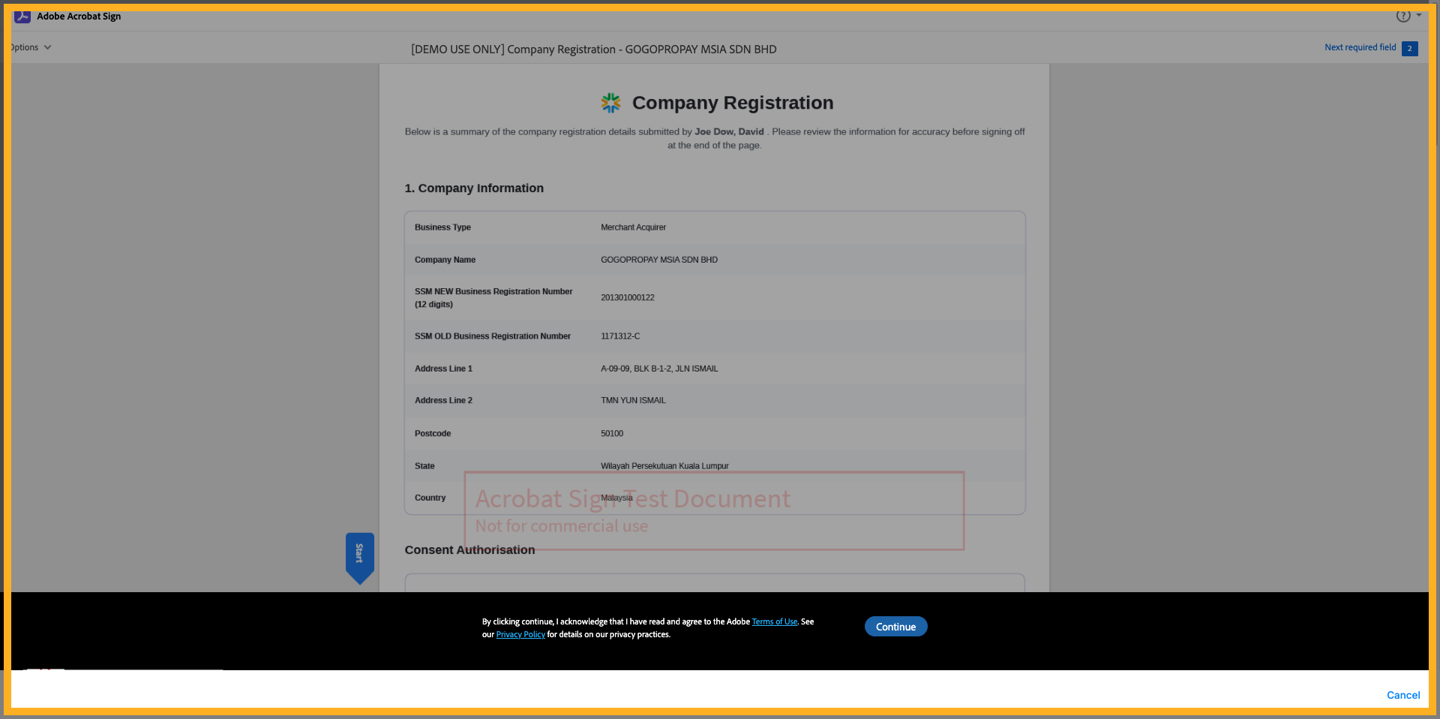
4. Before clicking continue, please read the Adobe Terms Of Use and
you
can read the Privacy Policy on the privacy practices. Then click
on
‘Continue’.
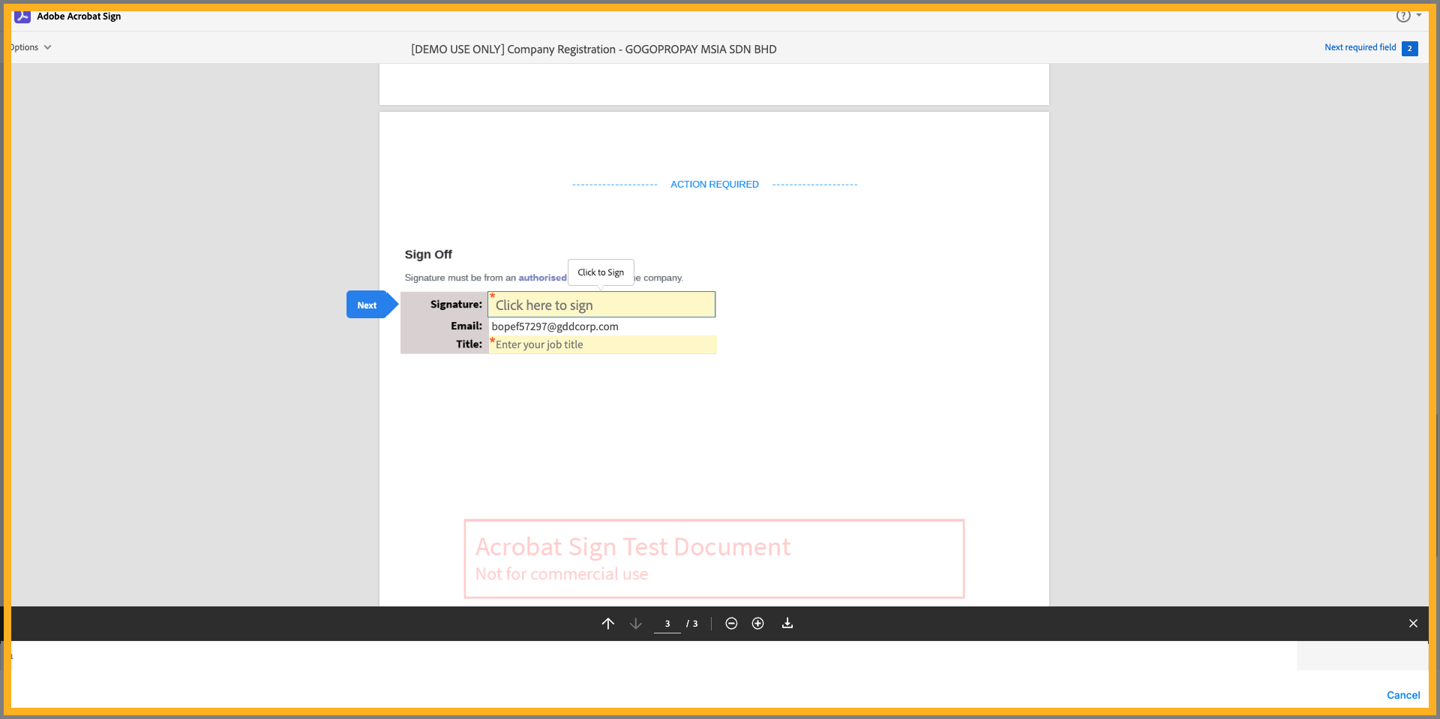
5. Scroll down to the application form on the 3rd page, enter your
job
title and then click on ‘Click here to sign’.
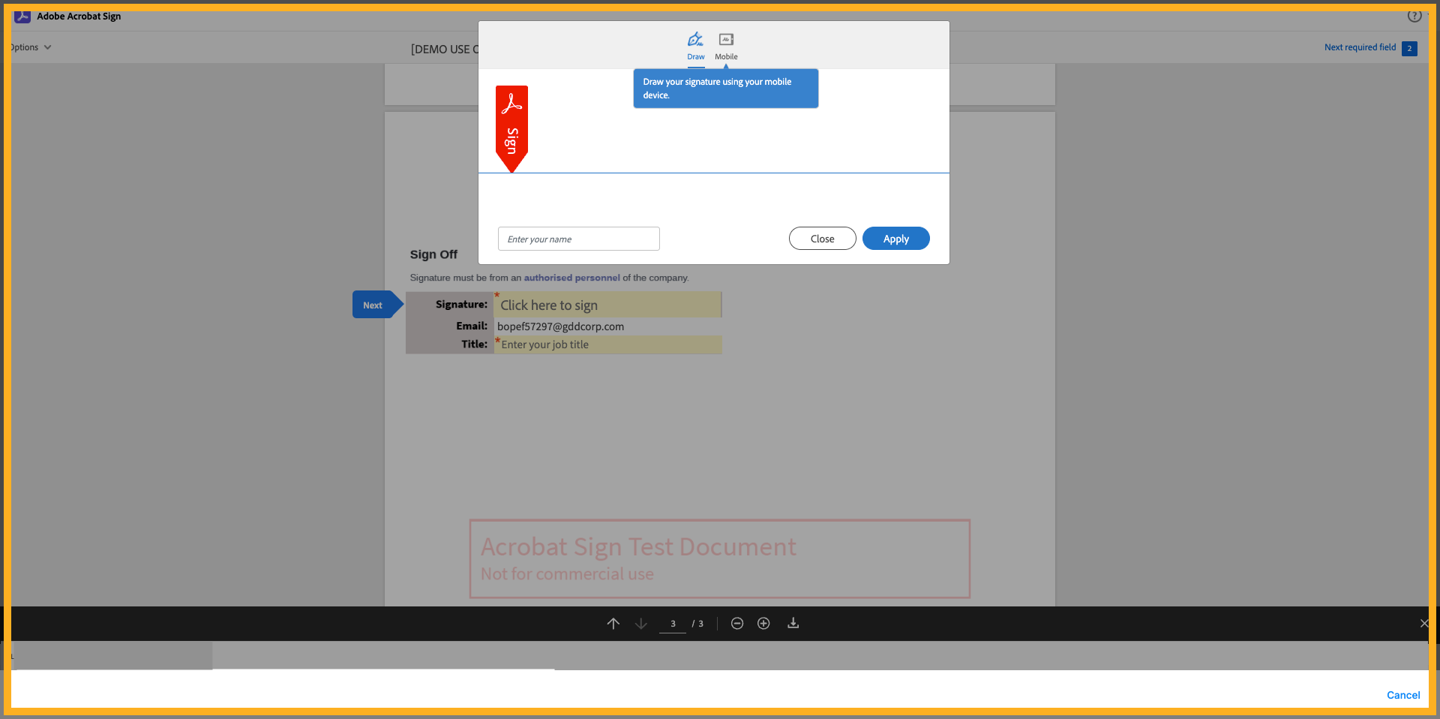
6. Draw your signature on the designated location and enter your
name.
When complete, you may press ‘Apply’.
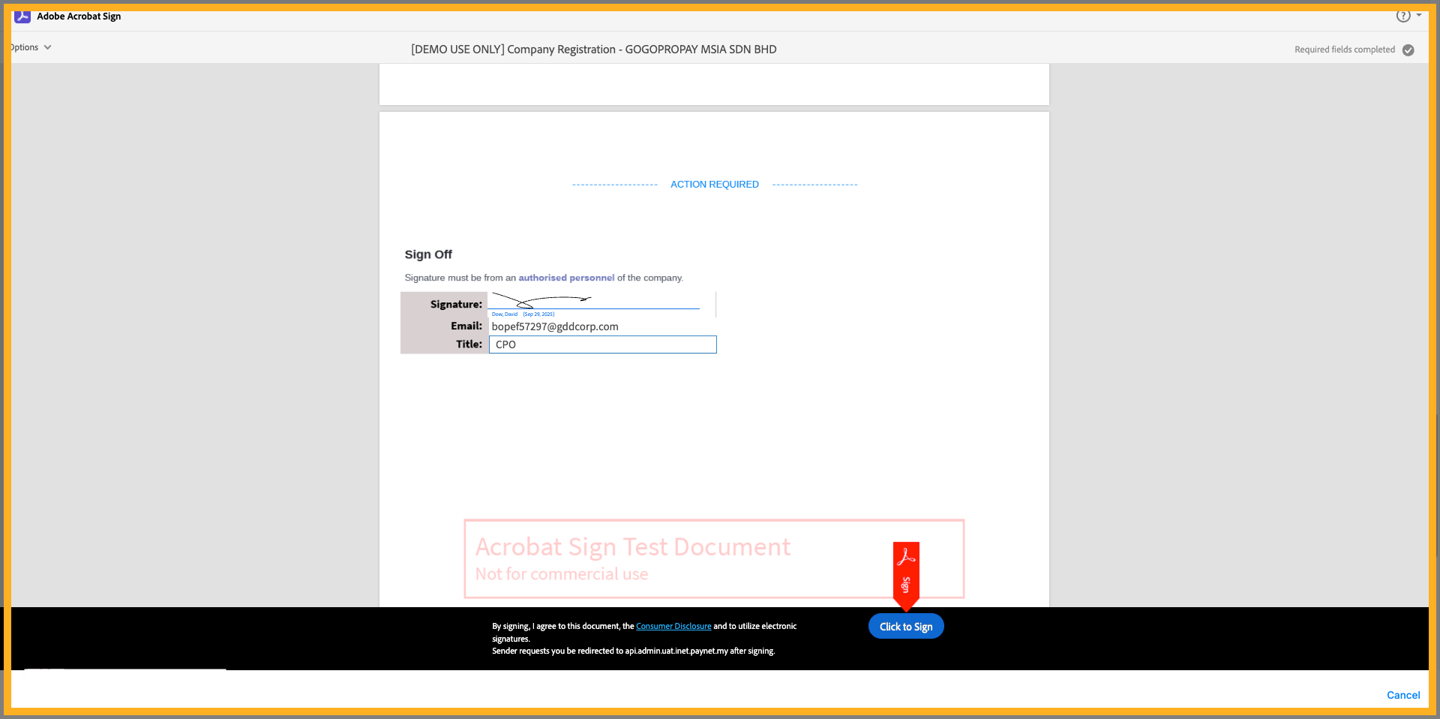
7. Click "Click to Sign" to complete your digital
signature.
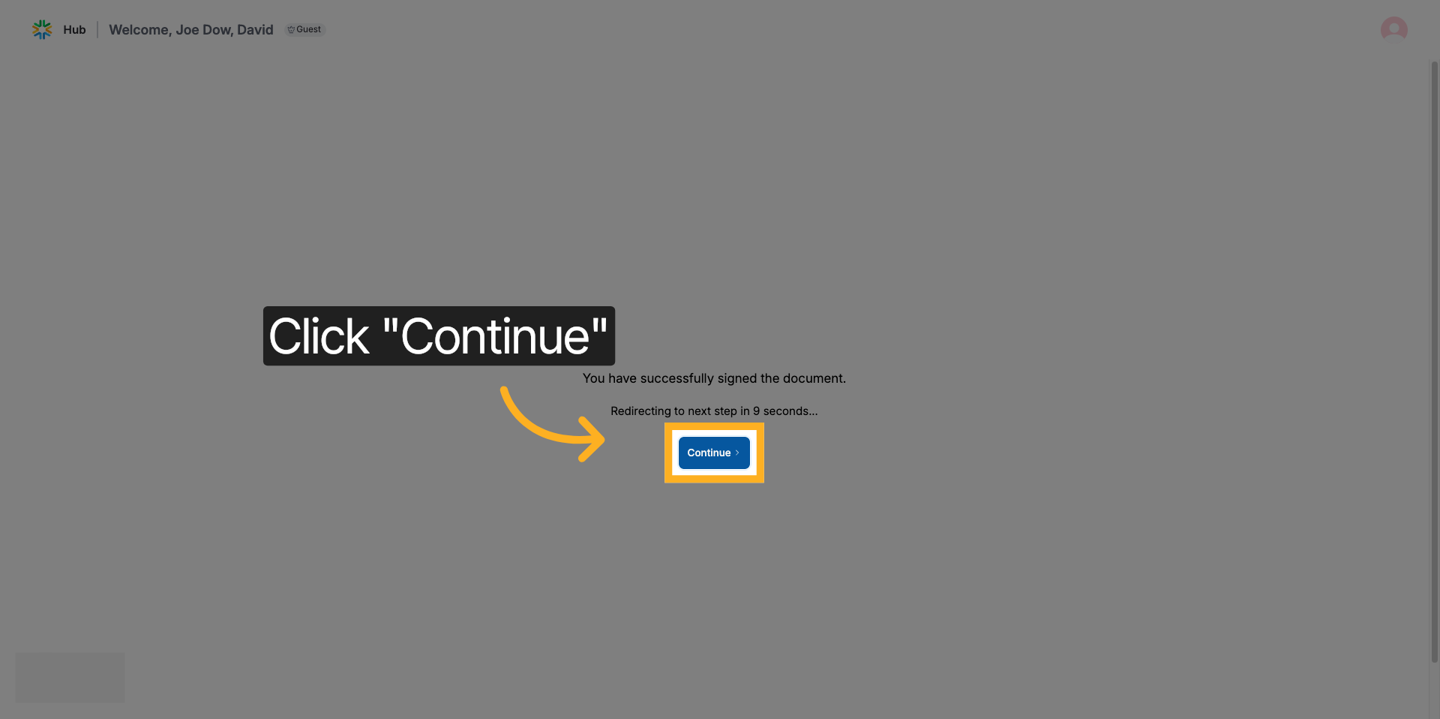
8. Click 'Continue' to return to the registration
form.
| ⚠️ | You might notice a "Mobile Sign" tab among the available signing options. For the smoothest experience, we recommend choosing any of the other three options instead. These are optimised to give you a faster, more reliable signing process. |
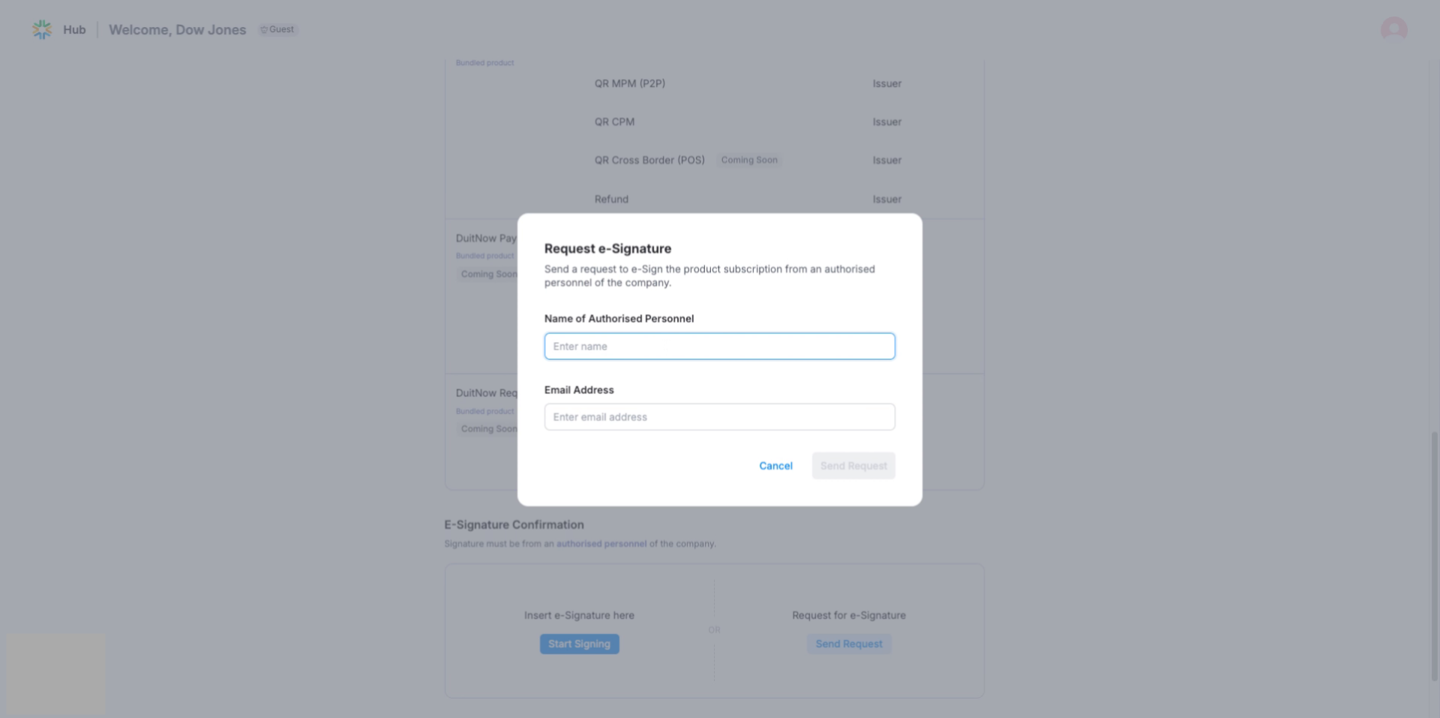
If requesting an e-signature, click the 'Send Request' button and then click 'Confirm & proceed' button.
Enter the authorized personnel name and email address to proceed.
They
will see the same pages from step 4-7 to insert their signature.
Document Submission
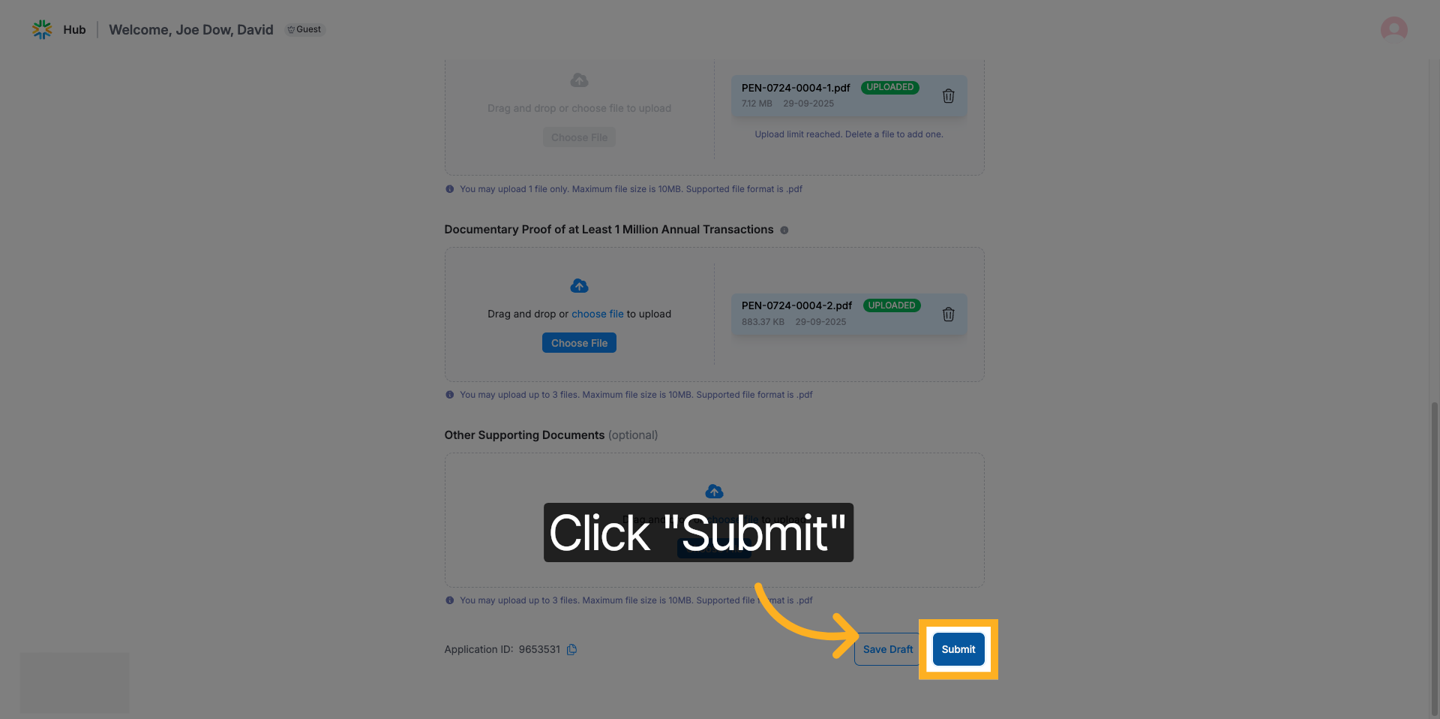
1. In this step, you will need to upload the below required documents
and
then click ‘Submit’.
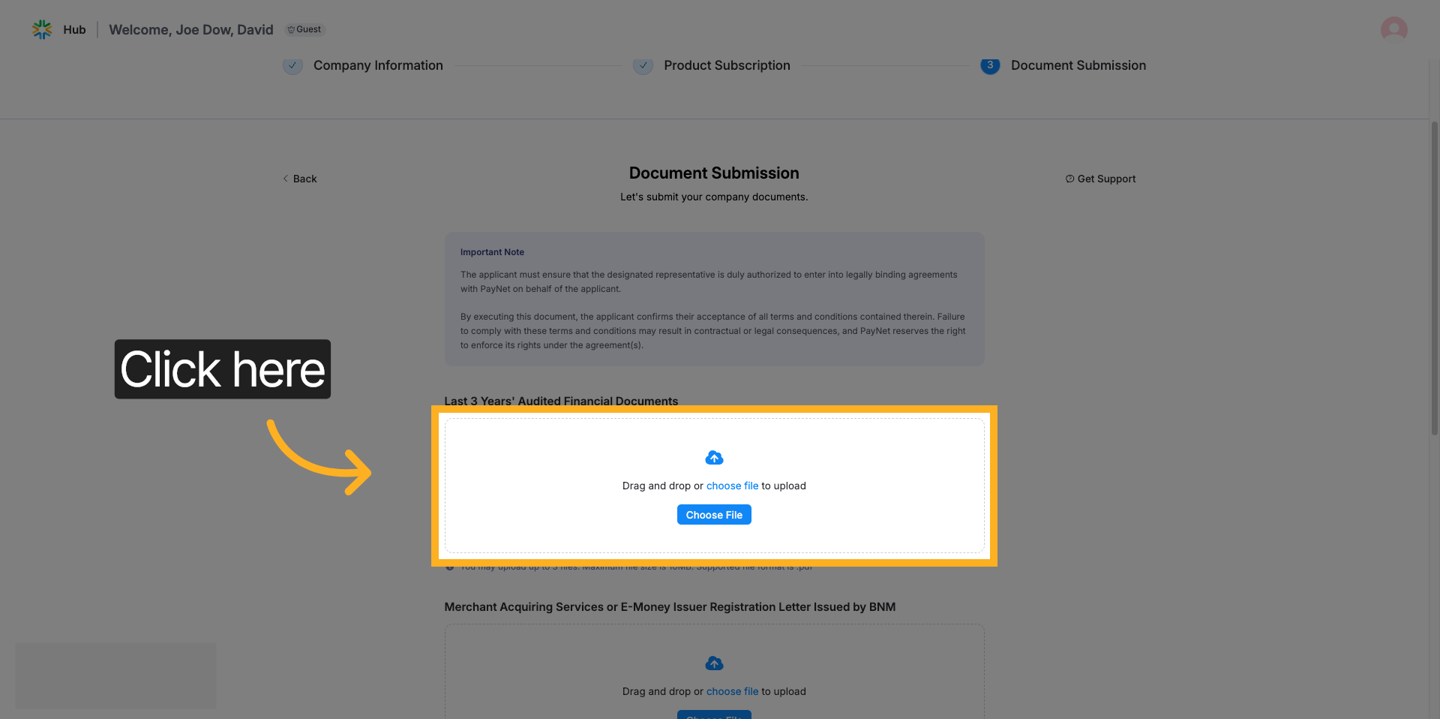
- Last 3 years' audited financial documents.
- Merchant Acquiring Services or E-Money Issuer Registration Letter Issued by BNM (if applicable).
- Documentary Proof of at least 1 million annual transaction counts.
- Business licenses or permits
- Partnership agreements or MOUs with financial institutions or service providers
- Transaction volume reports or performance dashboards
- Compliance certifications (e.g., PCI-DSS, ISO standards)
| ℹ️ |
Note:
|
2. Click Submit to finalize and send your registration.
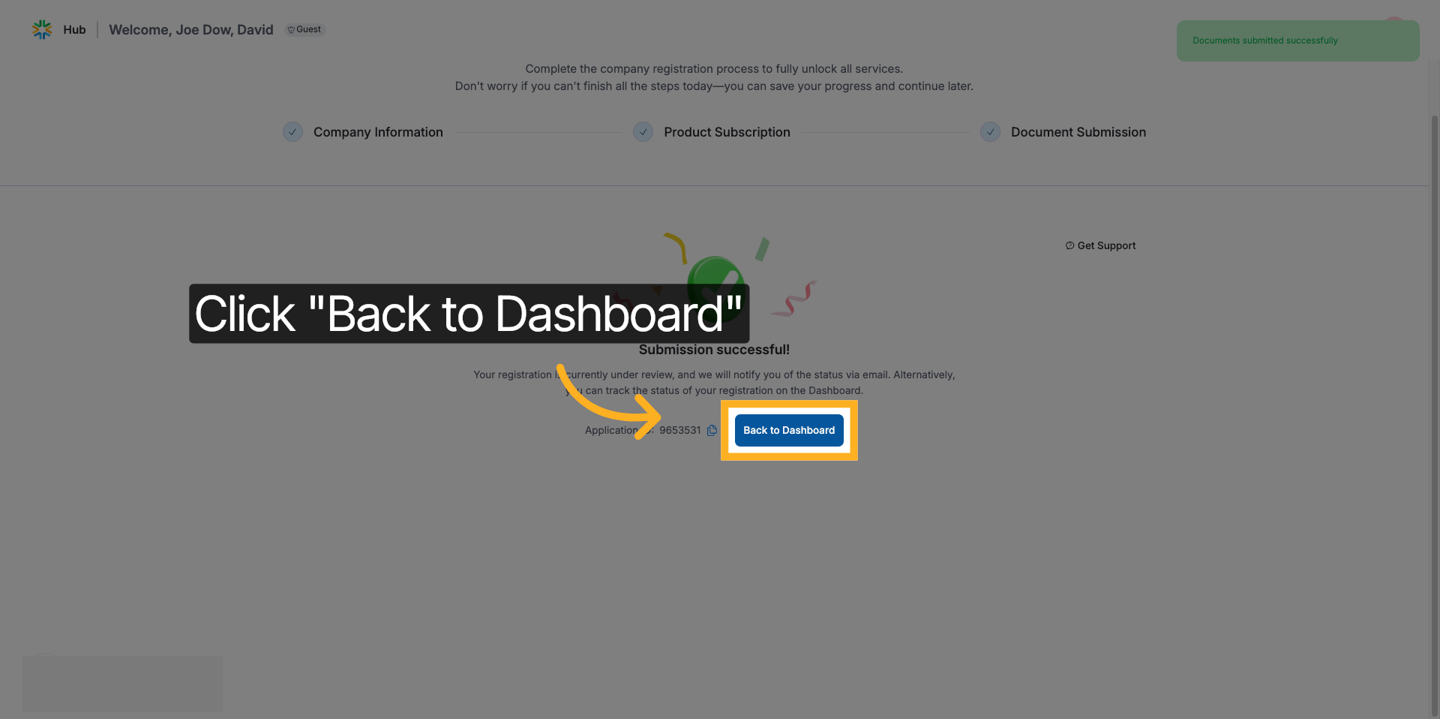
3. Now that you have submitted your documents, your registration
is currently
under review. We'll notify you via email, or you can track the status
on the Dashboard.
4. Once your company registration is submitted, PayNet will review
and
process your application within three (3) business days.
You will receive a confirmation email at your registered email address once your company registration has been approved. If additional information or supporting documents are required to complete the registration, you will be notified via email with further instructions. Also, you are able to track your application on your dashboard.
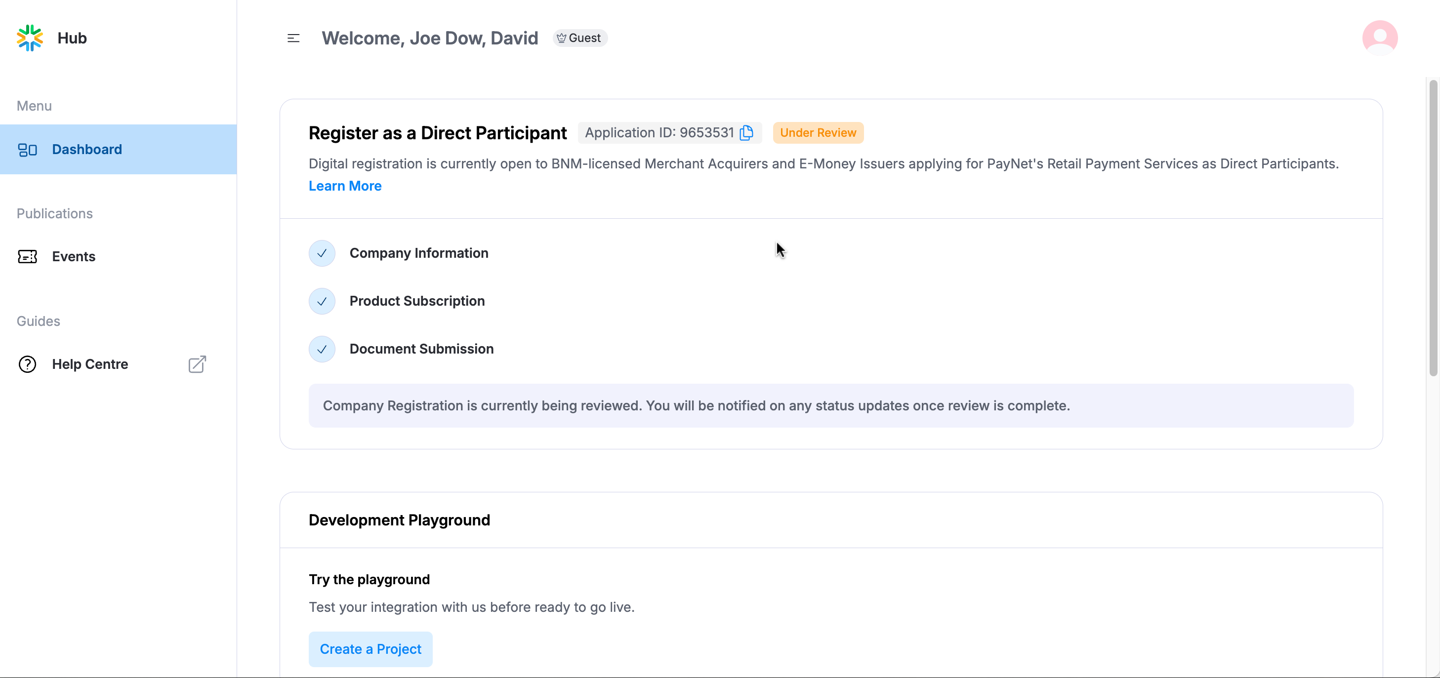
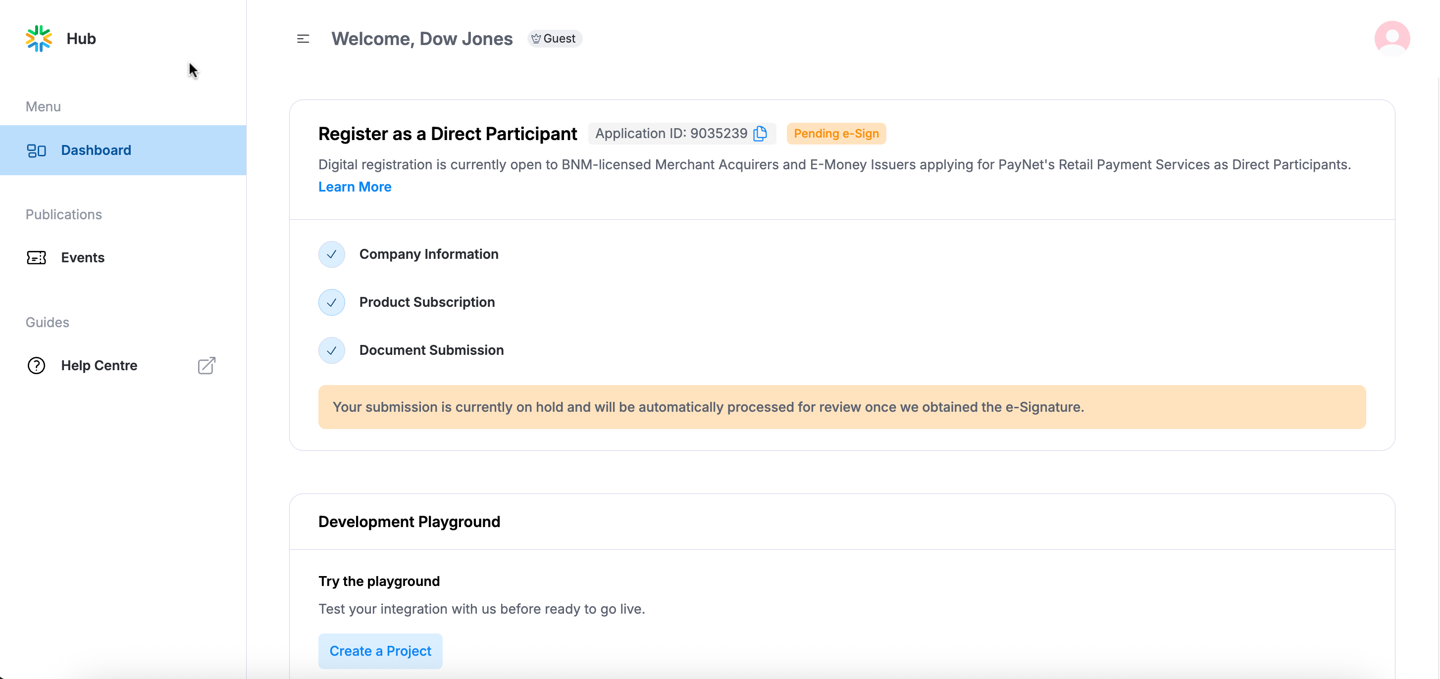
You will receive a confirmation email at your registered email address once your company registration has been approved. If additional information or supporting documents are required to complete the registration, you will be notified via email with further instructions. Also, you are able to track your application on your dashboard.
The application widget will display as above if you have asked another
signatory to sign the application.